
These small business SEO tools are free, beginner-friendly, and cover all your needs for DIY SEO.
Ahrefs is an essential SEO platform used by over 50,000 companies worldwide.
Many small business owners get started for free with Ahrefs Webmaster Tools which gives them access to Site Explorer and Site Audit.
With these tools, you can:
- Monitor your website’s health
- Know your backlinks
- See what keywords give you traffic
- Track any growth or declines in your SEO performance
If you’re working with an agency or freelancer for SEO, it’s also one of the best ways to monitor what they’re doing and verify the results they’re reporting to you.
Getting started
The easiest way to set up Ahrefs is with a Google Search Console account (more on this in a moment).
You can also just enter your website, press the “start for free” button, and follow the prompts to fill out the rest of your information.
If you’re interested in seeing what your competitors are doing and figuring out their SEO strategy, you can also try out the Starter plan for only $29/month.
It lets you spy on your competitors and find new keywords to improve your own SEO for a low cost.
Google offers a range of free tools that can be used for SEO. The most important for monitoring your search visibility is Google Search Console (GSC for short).
It provides data directly from Google about how your website is performing in its search results. This data can show you:
- What keywords you’re ranking for
- If there are any technical issues
- How many people are clicking on your website
While it sounds like this data overlaps with what you can access in Ahrefs, there are some limitations. These mean that you can’t see all your data in the GSC platform.
Here’s a comparison of the two:
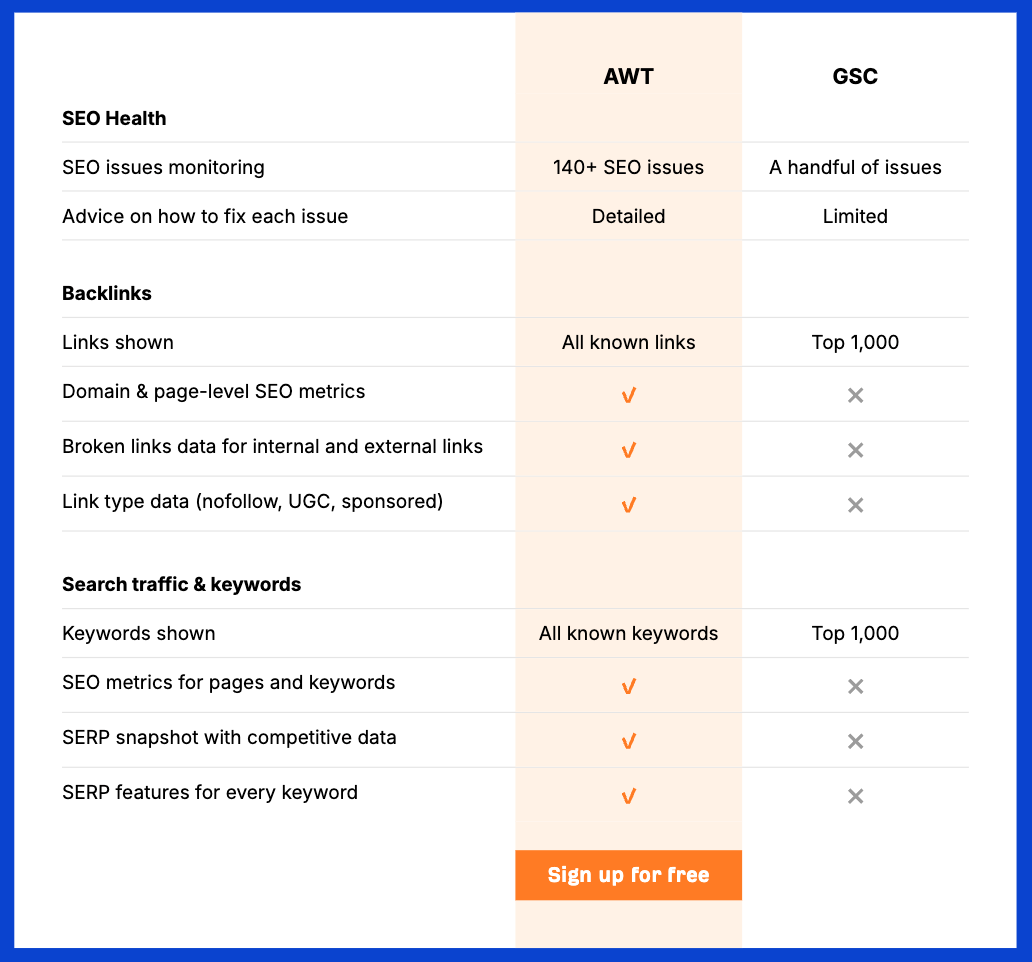
Despite its limitations, GSC is the only tool offering you data from Google about your website’s SEO visibility, so it’s an essential tool to have in your toolkit.
Getting started
You’ll need to have an existing Google or Gmail account before you can set up a Google Search Console account.
If you’re on WordPress, the easiest way to set up GSC is by using Google’s Site Kit plugin. This plugin can connect your website to the following Google properties automatically:

If your site is not using WordPress, it’s just a matter of following the prompts on the GSC landing page:
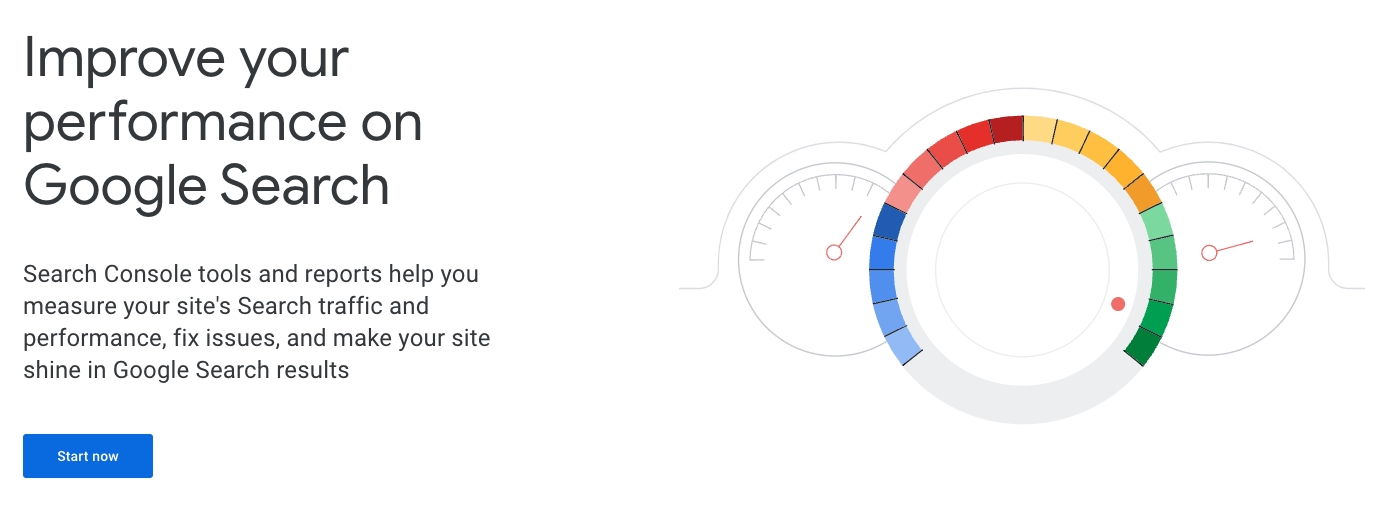
Once you click the “Start Now” button, you’ll be prompted to log in to your Google account. Then you’ll be guided on how to connect your website.
A Google Business Profile (also known as a Google Business Listing or Google My Business profile) is essential for small business owners operating in a local area.
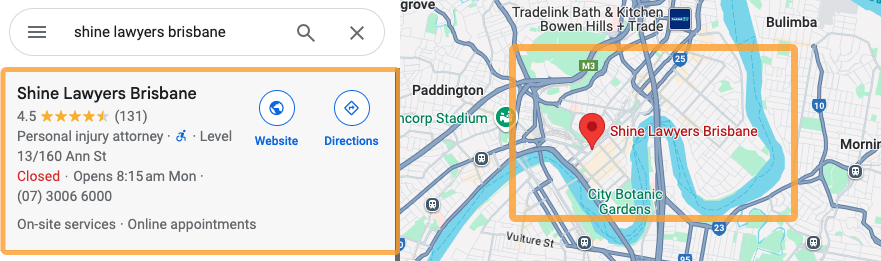
Here’s what your profile might look like if you already have one set up:

Without one of these, your business cannot show up on Google Maps…
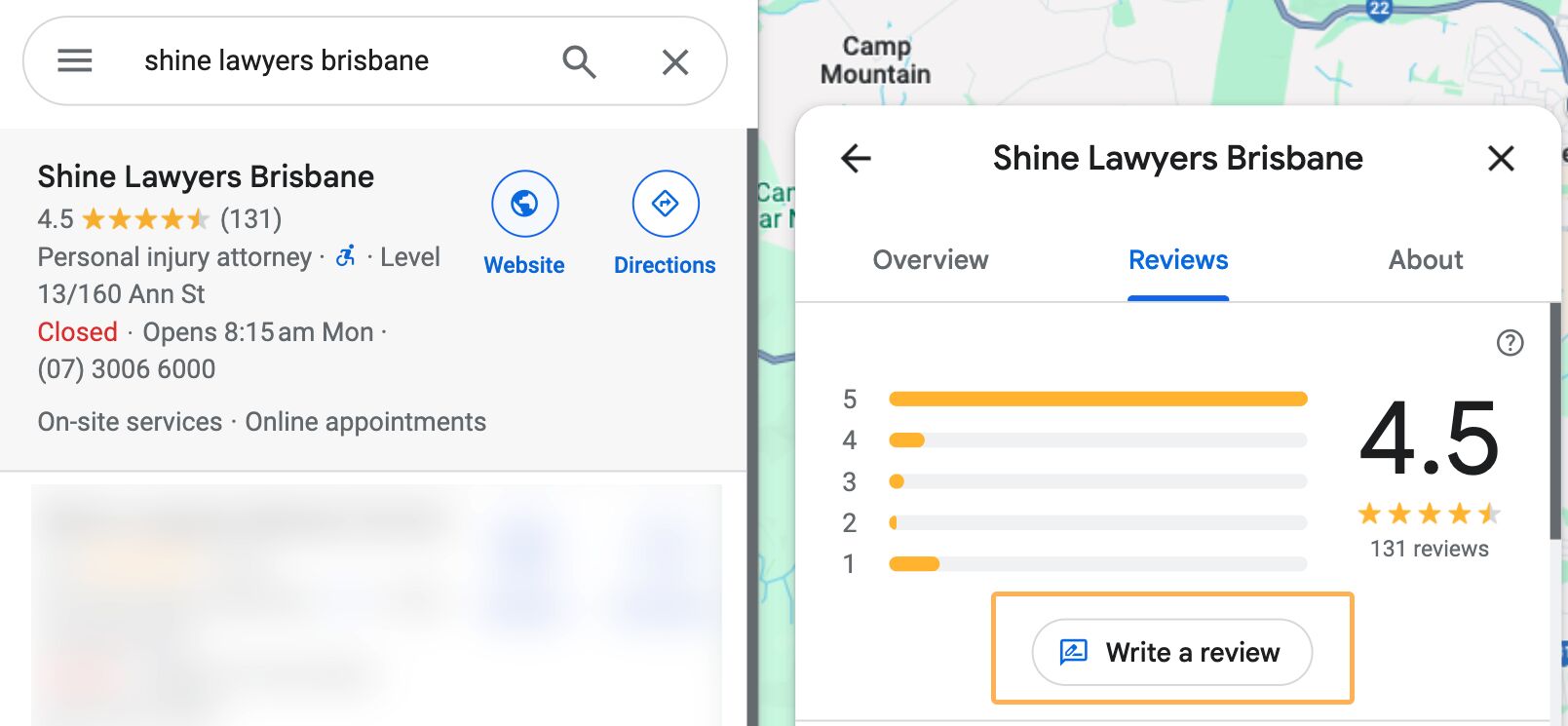
… and, people cannot leave you a review on Google.
It also allows you to show up for many local keywords in Google Search results, in the map pack and also with local service ads.
Thankfully, it’s super easy to get set up, here’s how.
Getting started
Start by visiting this page:
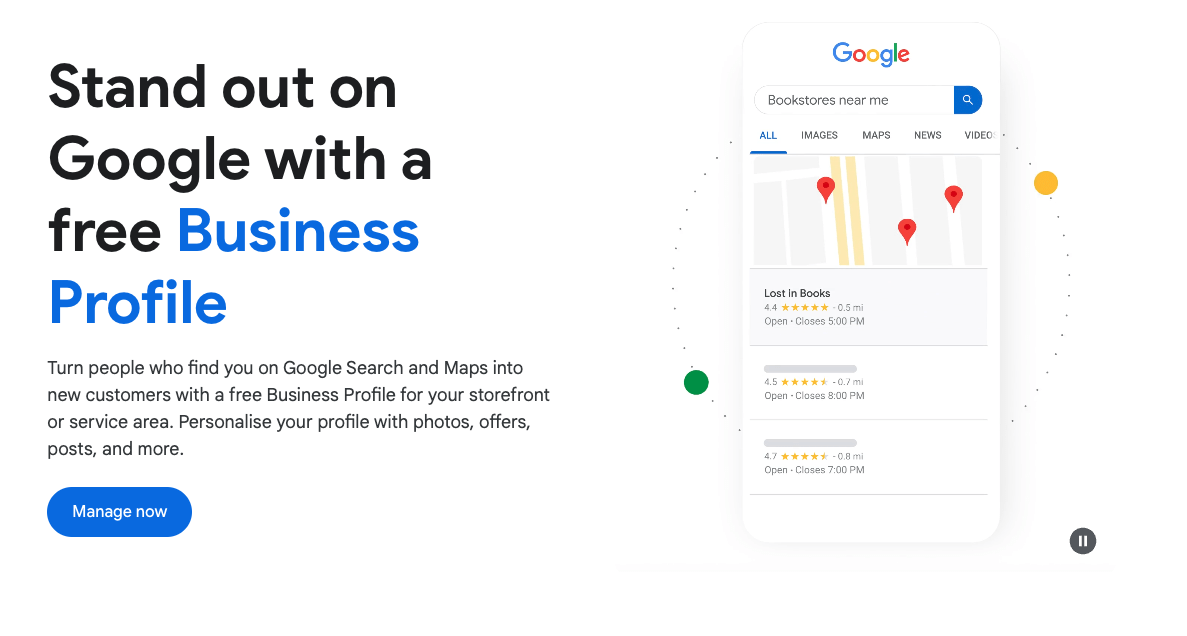
Follow the prompts to set up your business listing. You’ll be asked to fill out information like:
- Your business name
- Your business category
- Your contact details
- Your location (for customers to visit)
- Your address where your business is located (even if you don’t have a store)
- Your products or services
- Your opening hours
- A general description of your business
- Images of your business and its premises
Make sure you fill everything out in full. Don’t cut corners here, this is your chance to show people who search on Google everything they need to know about your business.
Google Analytics is another free tool that is very useful for small business owners. It allows you to monitor who’s visiting your website and how they’re interacting with your content.
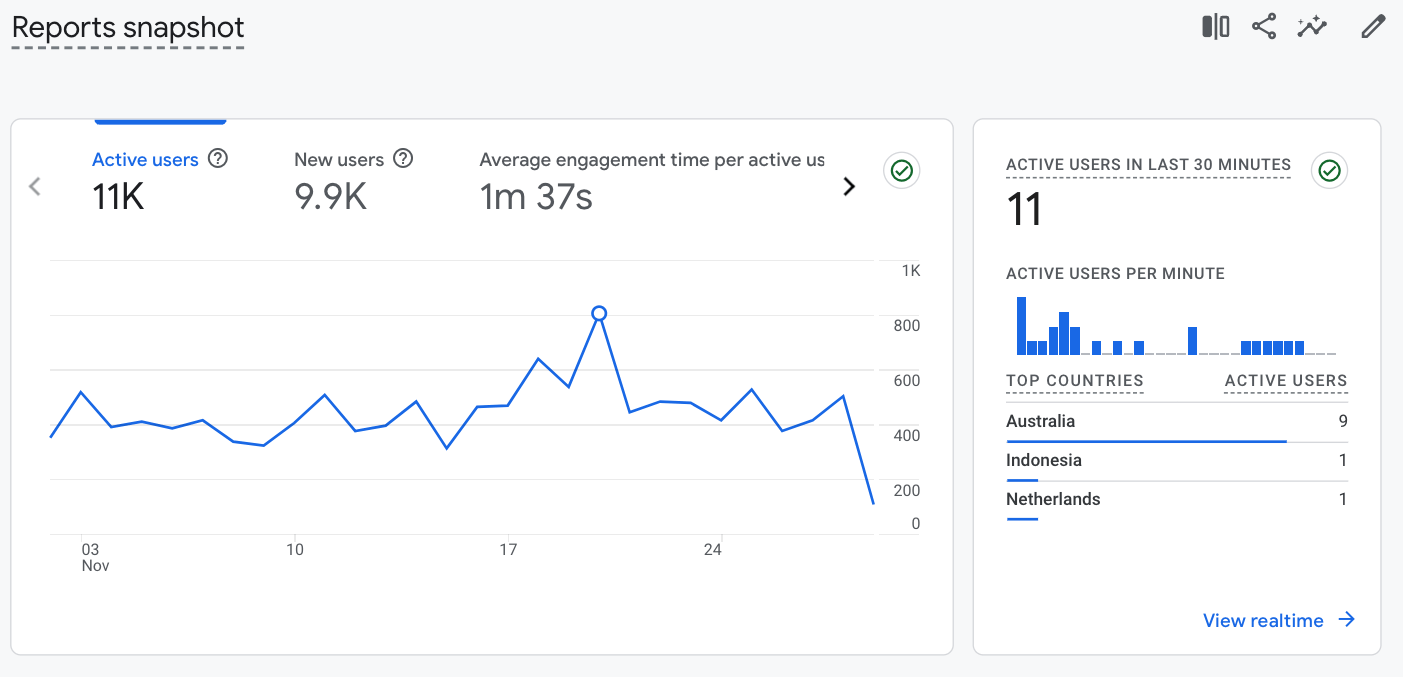
You can see:
- What marketing channels they find you from
- What pages they visit most
- Which pages they convert on the most
- How they navigate through your website
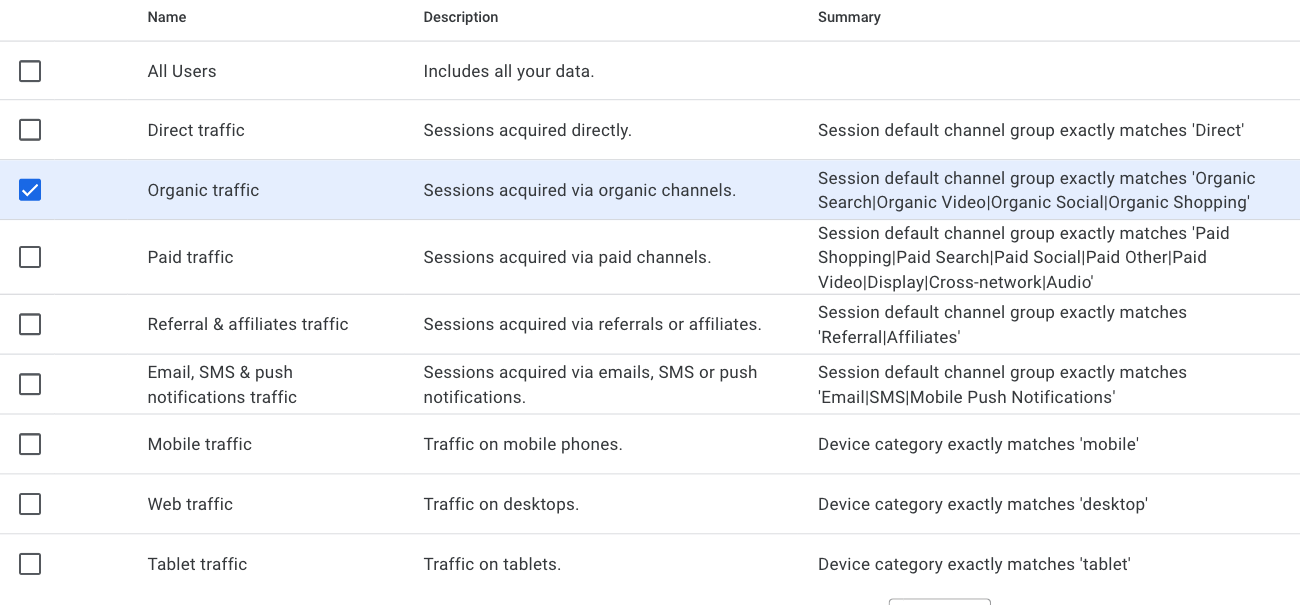
For SEO specifically, you’ll need to filter your reports to show you data from organic channels:
Getting started
The easiest way to get started if you use a WordPress website is with the Google SiteKit plugin. You can set up both Google Analytics and Google Search Console at the same time.
Alternatively, you can follow the detailed steps in our guide on using Google Analytics.
Bing Webmaster Tools is like a love child between Google Search Console and Ahrefs.
It offers all the search data directly from Bing along with juicy SEO data that you could only otherwise access from an SEO tool.
It’s not as granular as Ahrefs but also far more than you get from Google.
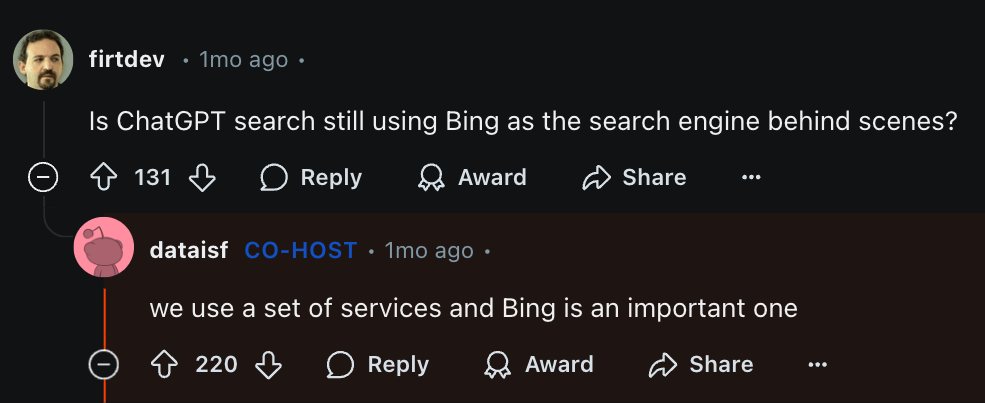
While you may be thinking that Bing isn’t all that popular compared to Google, there are two reasons I recommend you still set up this free tool.
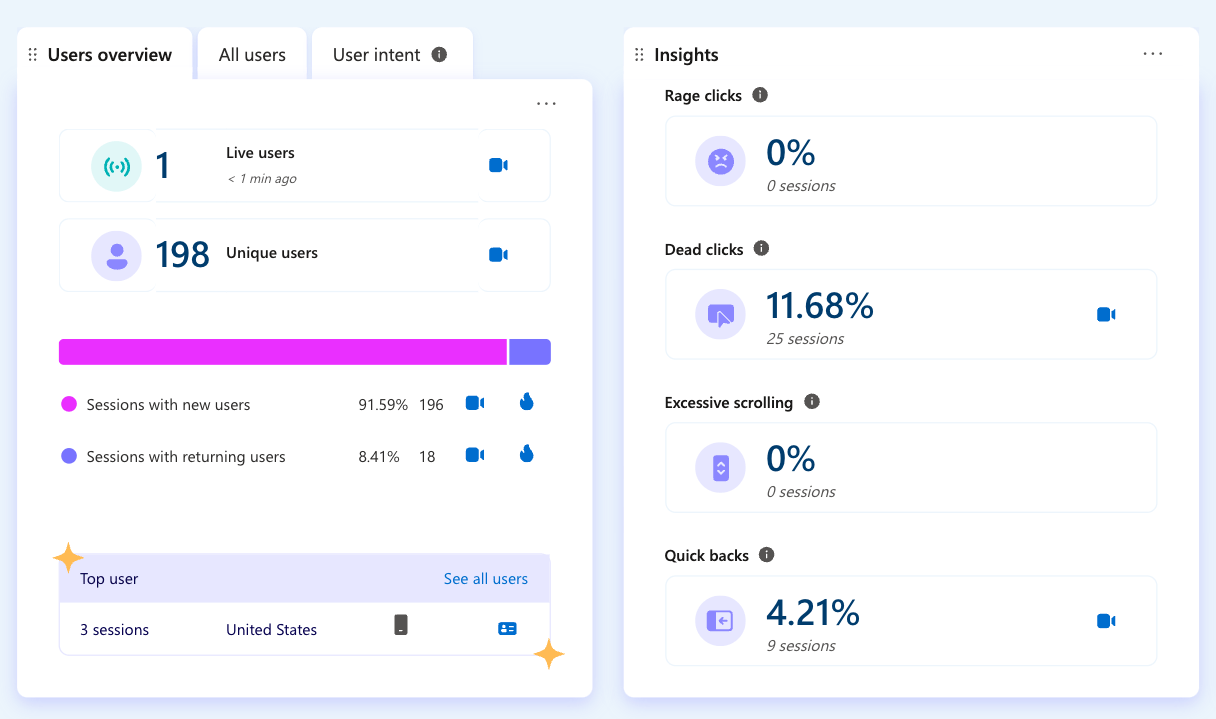
- You get access to Microsoft Clarity, a free tool for measuring conversion and user experience data on your website. It offers heatmaps, click insights, and data about common user behaviors.
Getting started
Thankfully, the hard work is already done. You can set up Bing Webmaster Tools by connecting it to your Google Search Console:
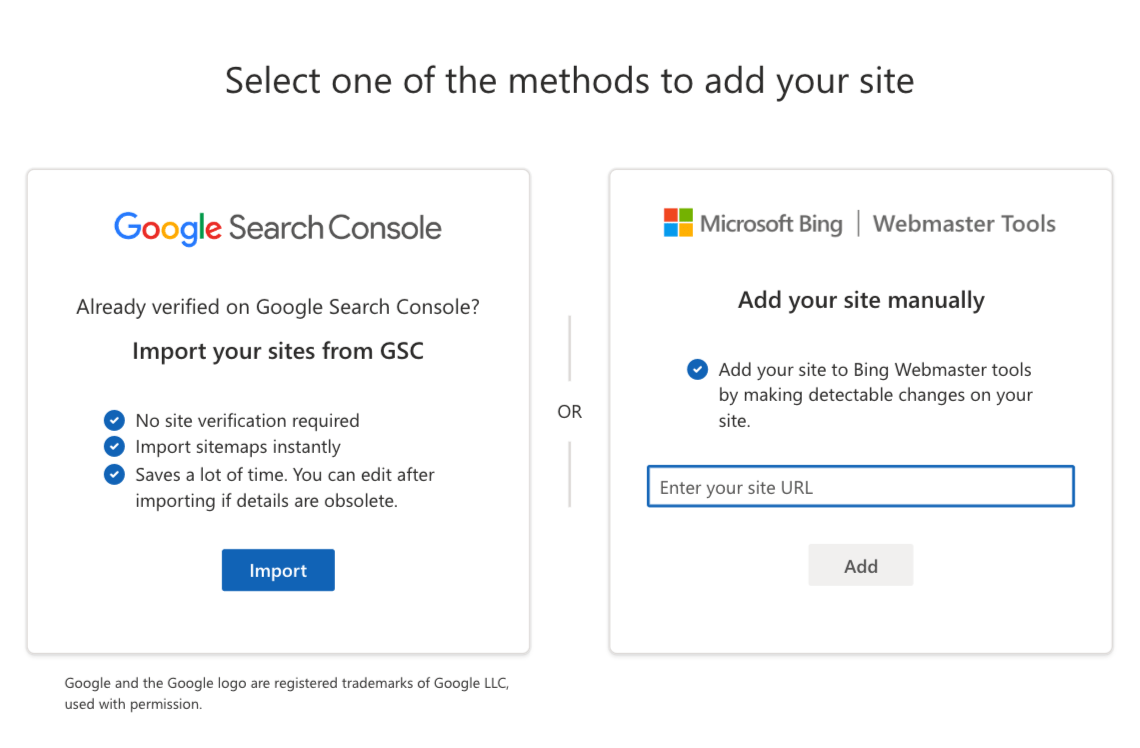
Otherwise, just follow the prompts. It will be a very similar process to how you set up GSC.
Unlike the other tools in this list so far, ChatGPT’s benefits as an SEO tool for small businesses are not in providing data.
Rather, it helps with implementing SEO recommendations, creating content, and even making sense of SEO data.
Here are some of my favorite examples of simple use cases to DIY your SEO with ChatGPT:
- Write click-worthy titles
- Fill in missing subtopics in existing content
- Create search-optimized outlines for your content
- Identify search intent for any keyword
- Find a list of keyword ideas
- Translate keywords
- Create, update, or improve page titles and descriptions
For example, here’s a simple prompt to help brainstorm article titles:
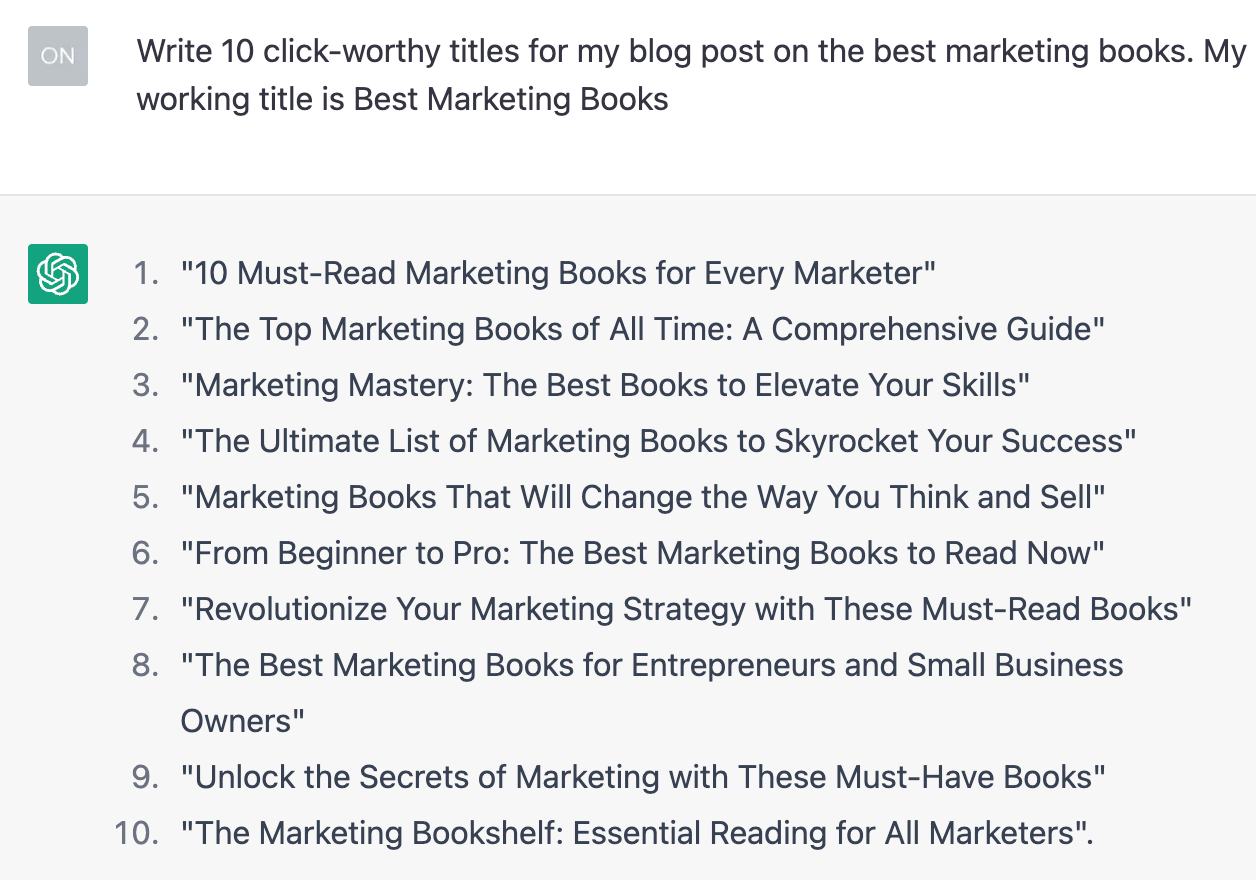
If you want to change the tone, you could ask it something like this instead:
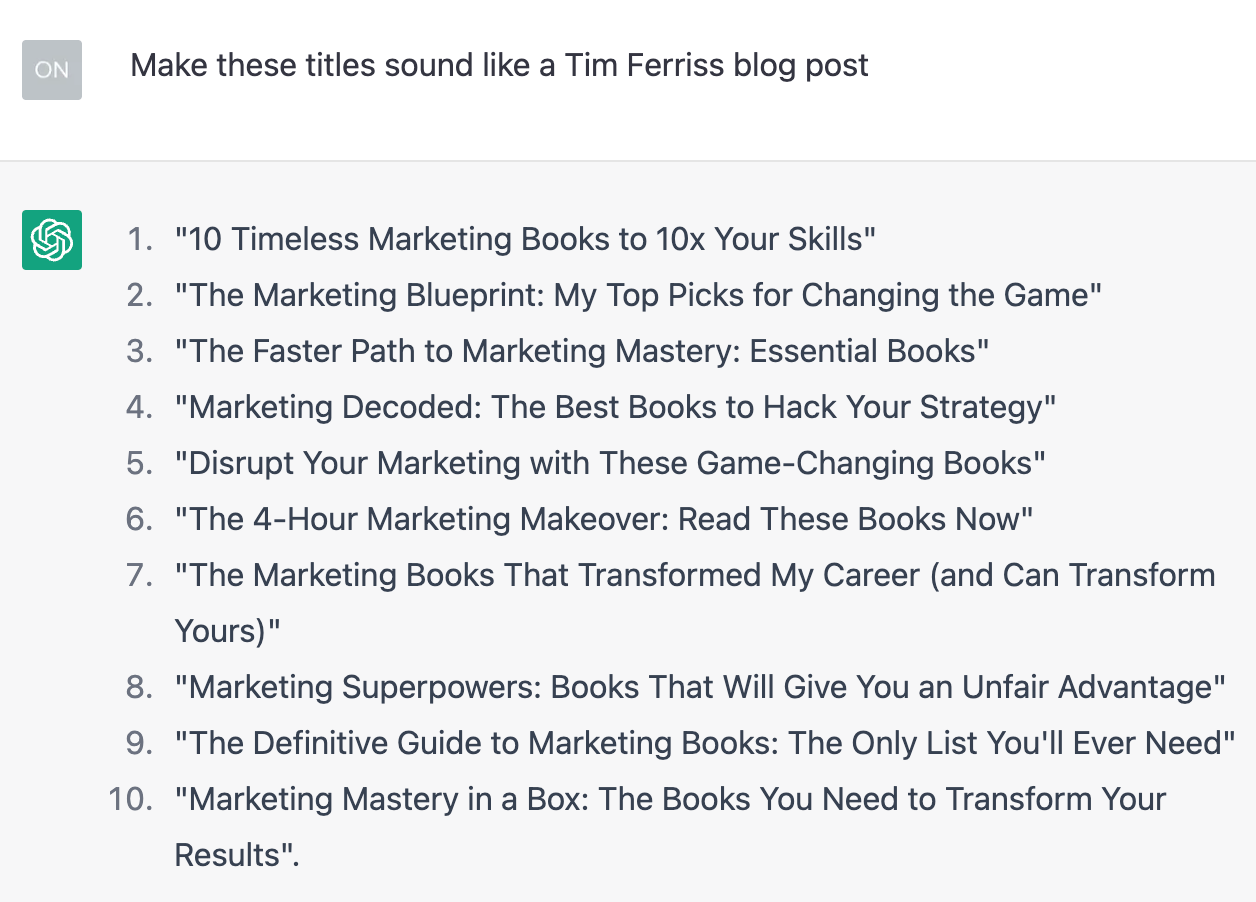
Or if you want to find nuanced keyword and content ideas on any topic, you could try a prompt like:
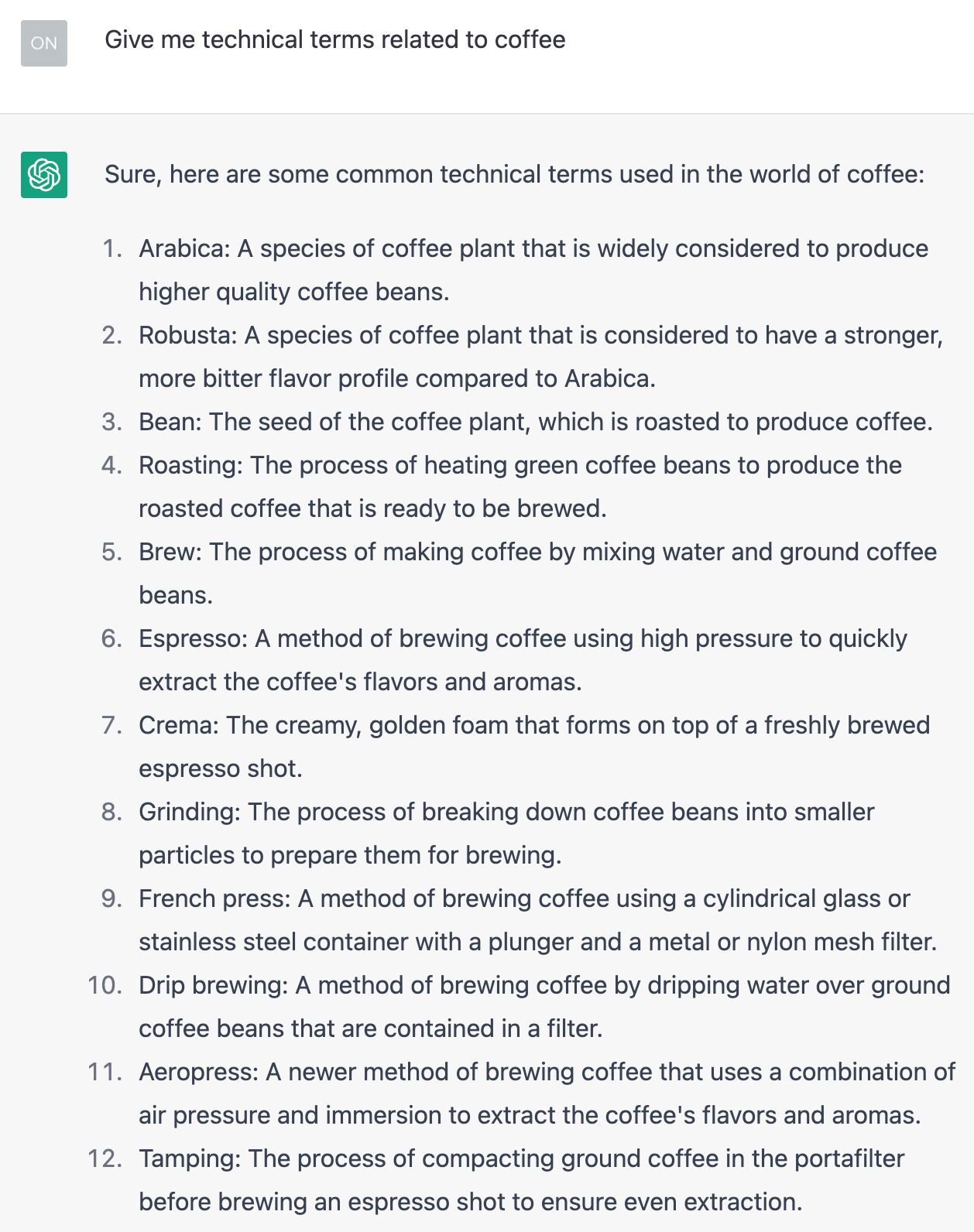
Getting started
The easiest way to get started is to visit chatgpt.com and either use the free version or create an account to unlock more features.
- ChatGPT for SEO: 9 Best Use Cases (And 4 Suboptimal Ones)
- How to Use Ahrefs and ChatGPT to Improve Your SEO
- ChatGPT for SEO? You’re Using It Wrong.
- How to Visualize Ahrefs Data with ChatGPT
SEO plugins and apps make implementing SEO on your site so much easier. The best ones for your website depend on:
- What website builder your website uses
- What functionality you need
- What budget you’re willing to spend
If your website is built on WordPress, you can access free SEO plugins like Yoast or RankMath for implementing SEO basics like page titles and descriptions.
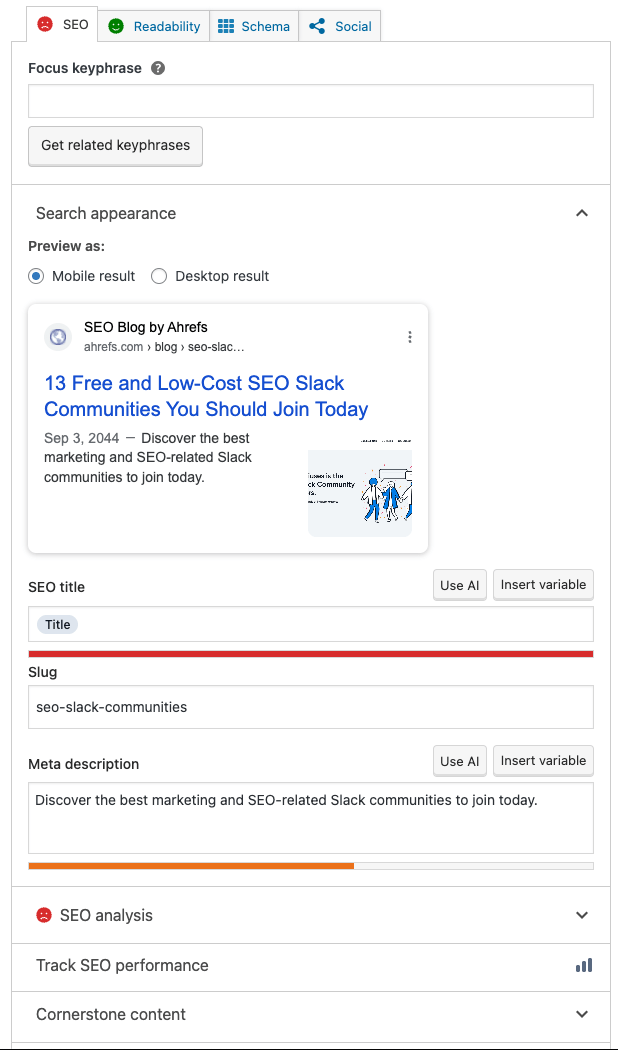
Many website builders already include basic elements like adding page titles and descriptions. However, SEO plugins often allow you to go further and set up or amend things like:
- Your URL structure
- Robots.txt file
- Sitemap file
- Schema markup
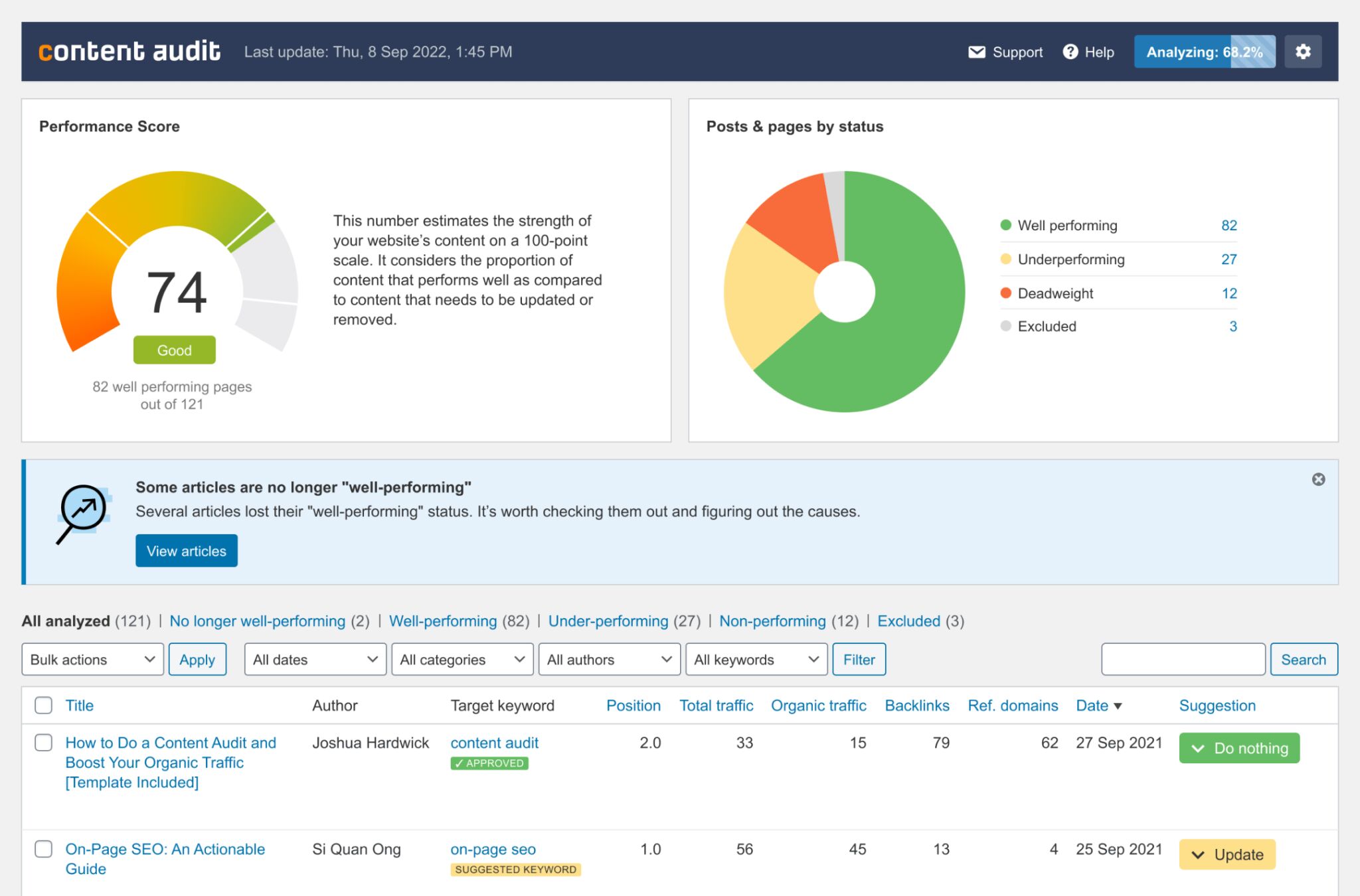
You could also check out SEO plugins with other more targeted functionality. For instance, the Ahrefs plugin is designed to help you audit and monitor your content’s performance.
Getting started
There are many great SEO plugins and apps out there to help you improve your website’s optimization and performance in search engines.
Check out these articles to help you discover the best ones for your site:
-
- Ahrefs SEO WordPress Plugin
- 15 Best SEO Plugins for WordPress (Tried & Tested)
- 34 Free SEO Tools for DIY SEOs
Final thoughts
There are many SEO tools for small businesses out there. Some are all-in-one platforms, like Ahrefs; others are specialist tools to help fulfill a specific use case.
Generally, you can DIY your SEO with nothing more than the above tools, which are both free and beginner-friendly. They’ll get you by for a long time!
If you want to improve your SEO, you can upgrade to the Ahrefs Starter plan for as little as $29/month to do more keyword and competitive research.



جهت دانلود و یا توضیحات بیشتر اینجا را کلیک نمایید